URL Redirection
The URL Redirects section allows you to create and manage URL redirection rules. Redirects automatically send visitors from one URL to another when a page has been moved, renamed, or removed.
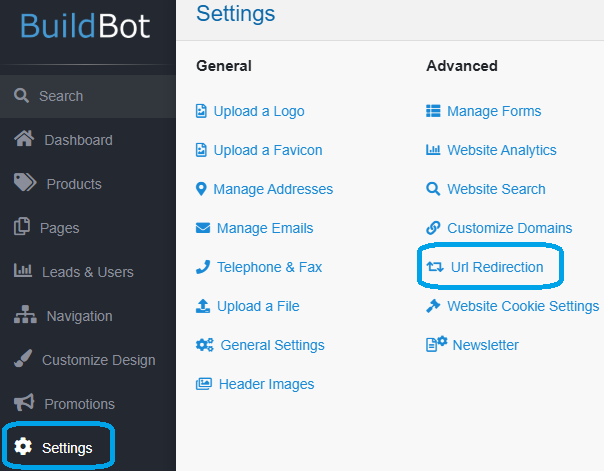
In the admin panel, click on Settings, then click on URL Redirection.
Manage Redirects
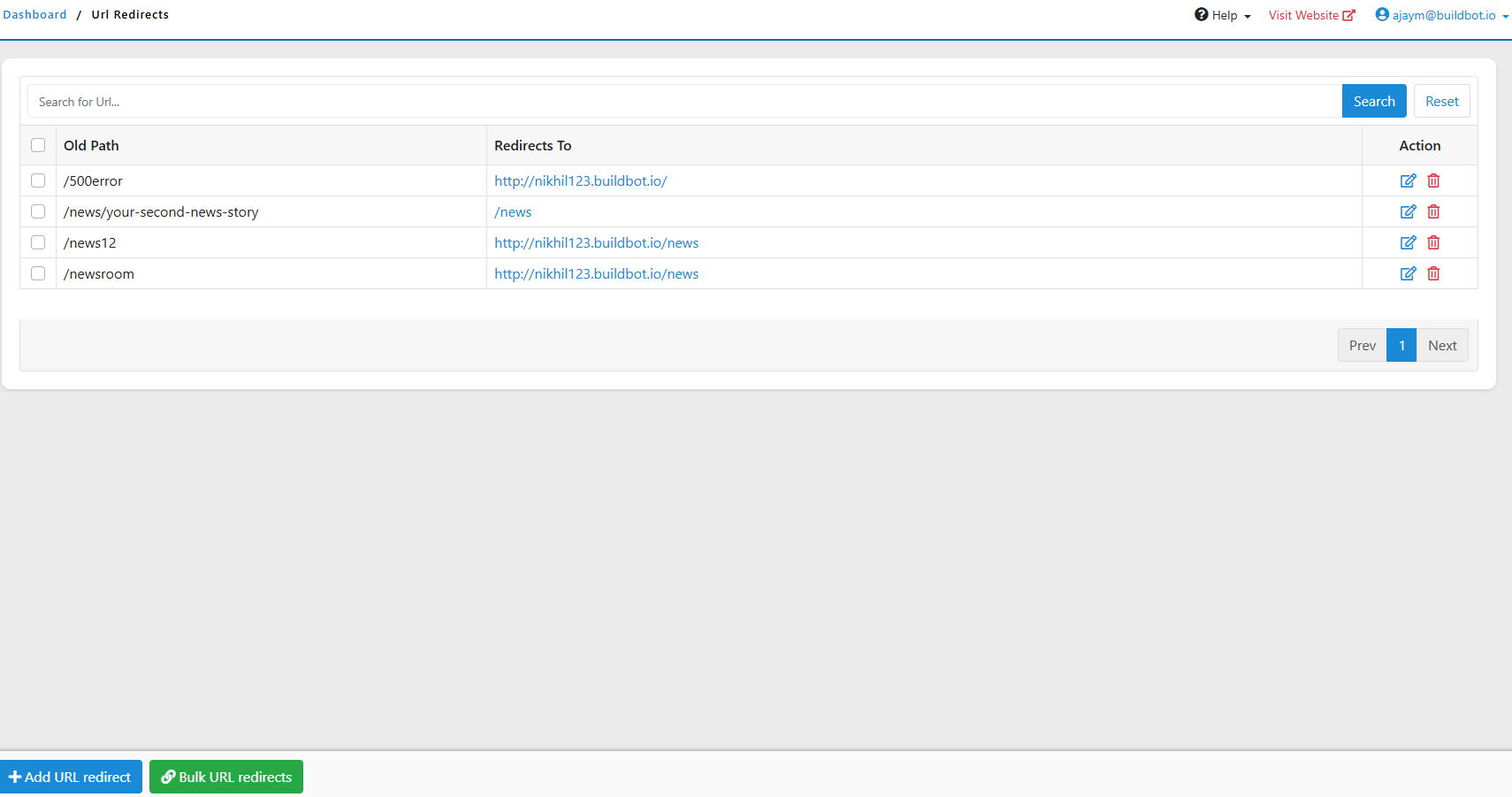
Use the Search URL Redirects field to locate an existing redirect by entering a URL or keyword.
- Old Path – Displays the original URL.
- Redirects To – Displays the destination URL.
- Action – Edit or delete the redirect.
Add a Redirect
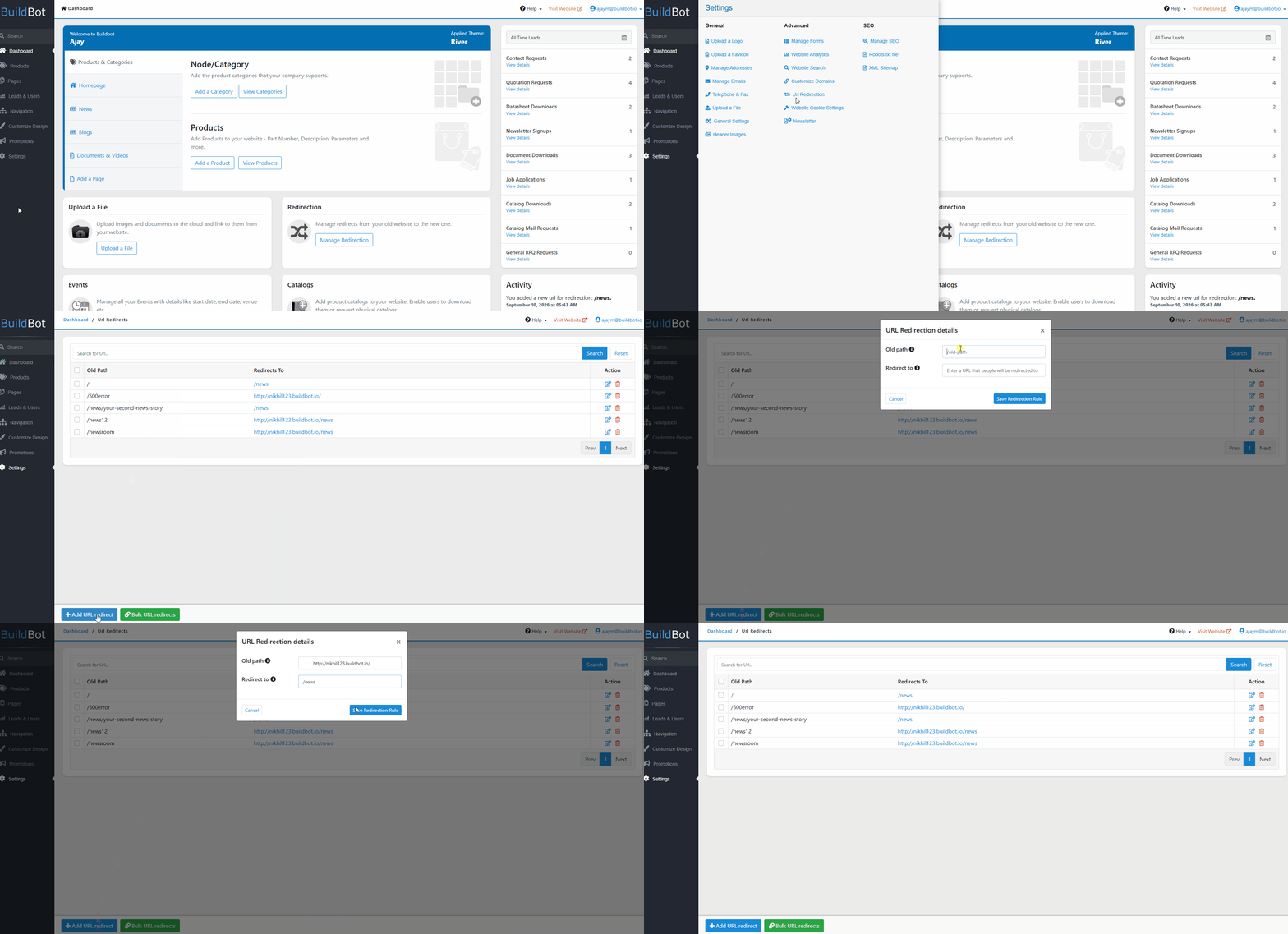
1. Click Add URL Redirect.
2. Enter the Old Path.
3. Enter the Redirects To URL.
4. Click Save.
Add Multiple Redirects
To add multiple redirects at once:
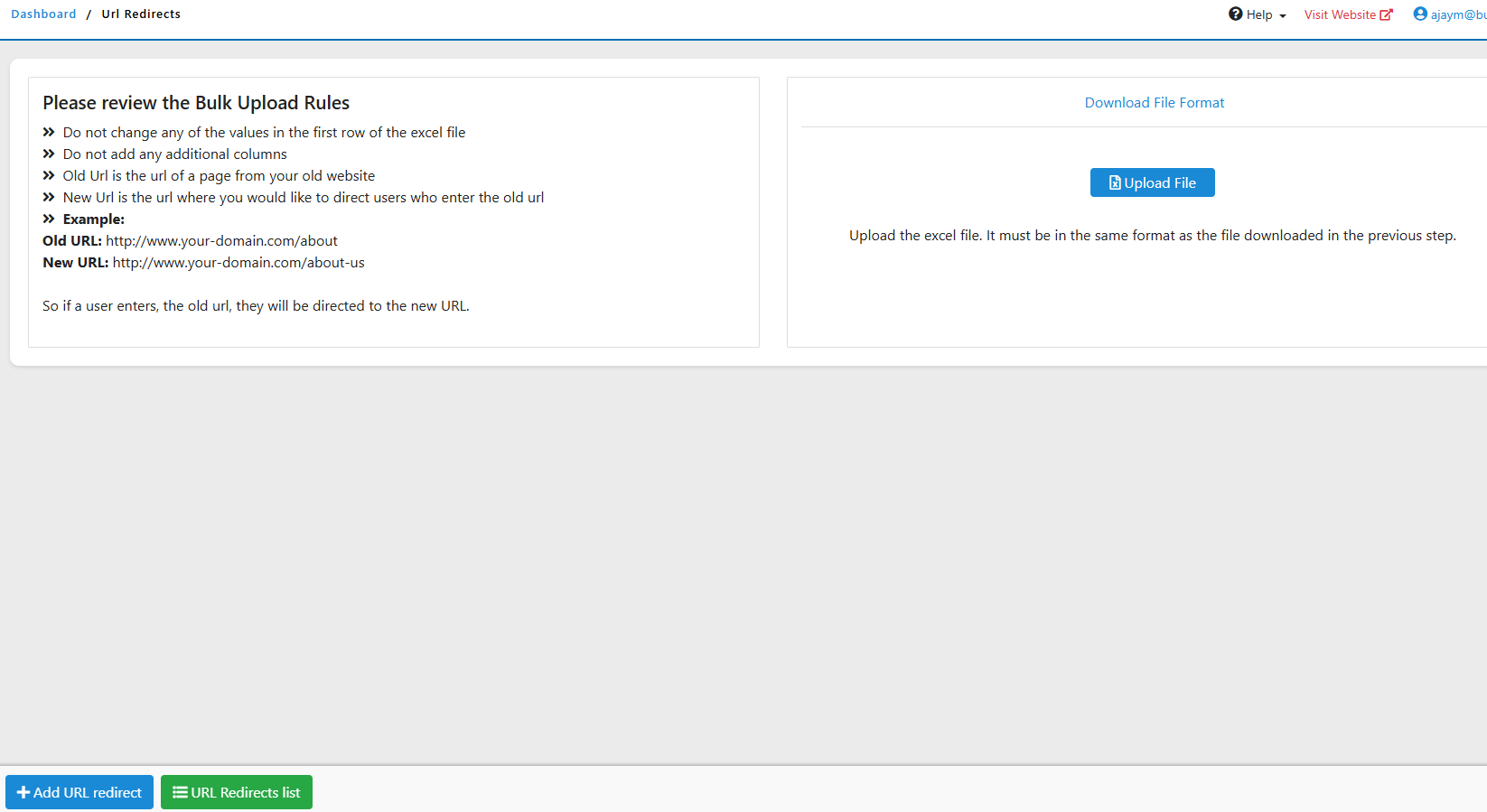
1. Click Bulk URL Redirects.
2. Upload or enter the required redirect rules.
3. Complete the bulk upload.